Prerequisites
Permissions to View the alerts work page required.
Overview
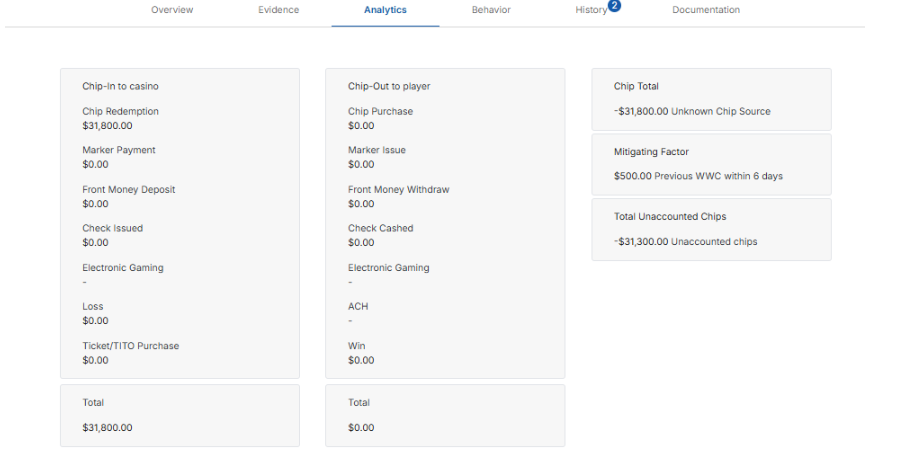
The UCS Analytics tab provides a visual summary of chip movement during the alert window to help assess player activity. What you see depends on whether pattern qualification is configured for your property.
Chip summary view
If pattern qualification is not configured, the tab shows a single chip summary for the alert window.
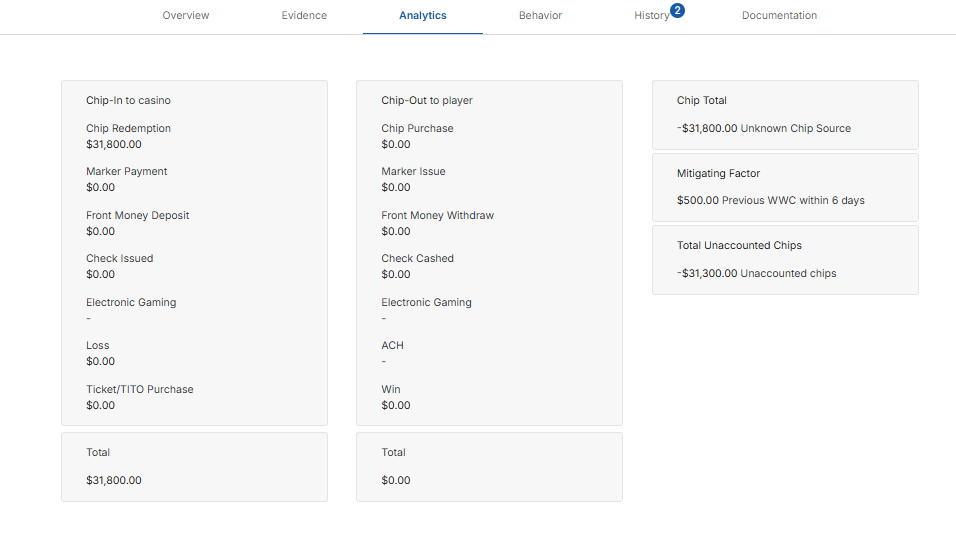
You’ll see two large columns: Chip-In to Casino, which represents all chips brought into the casino by the player, and Chip-Out to Player, which shows all chips returned to the player.
Below each column is a card displaying the total amount. Clicking these cards reveals the individual transactions that make up each total in the transaction table at the bottom of the page.
To the right of these columns, are three cards:
Chip Total: Displays the total chip movement during the alert window.
Mitigating Factor: Shows the amount from the player's previous Walks with Chips (WWC) activity within the lookback period, for example Previous WWC within 30 days. This amount reduces the UCS total.
Total Unaccounted Chips: Displays the final UCS total after accounting for mitigating factors.
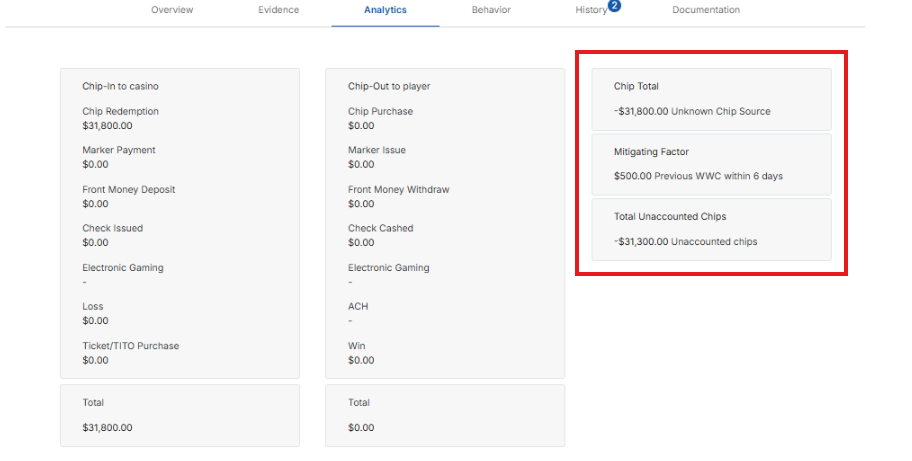
You can also click the Chip Total card on the far right of the page that shows the Unknown Chip Source to view all transactions that contribute to the final UCS value.
Pattern matched view
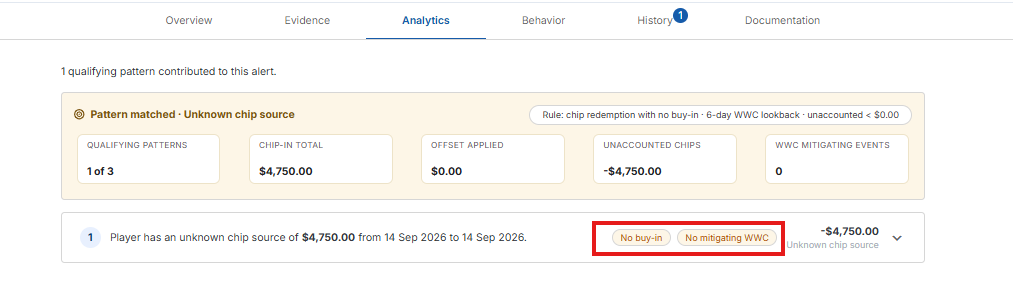
If pattern qualification is configured, the tab opens with a line such as 2 qualifying patterns contributed to this alert, followed by a Pattern matched · Unknown chip source banner. The pill on the right shows the rule, for example chip redemption with no buy-in · 30-day WWC lookback. The banner's summary cards show:
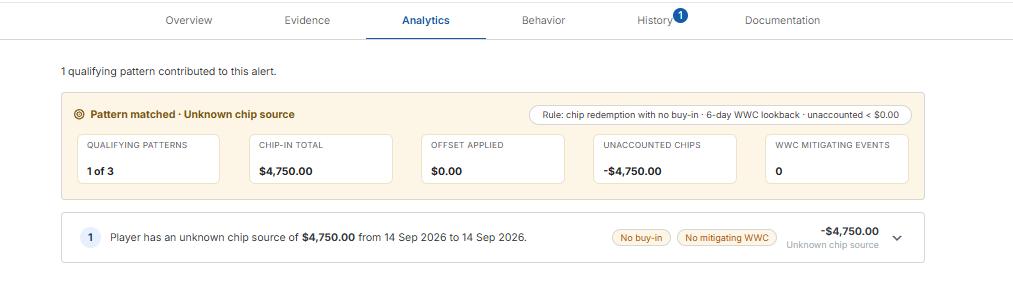
Qualifying Patterns – How many qualifying patterns were found, compared with how many your settings require. For example, 2 qualifying patterns (minimum 1).
Chip-In Total – The total chip-in to the casino across the qualifying patterns.
Offset Applied – The total amount from previous WWC activity that was used to reduce the unaccounted chips.
Unaccounted Chips – The total chips still unaccounted for after the offset.
WWC Mitigating Events – How many previous WWC events were used as mitigating factors.
Below the banner, each qualifying pattern has its own numbered row. The row reads, for example, Player has an unknown chip source of $24,900.00 from 01 Oct 2026 to 05 Oct 2026, and shows the unknown chip source amount on the right. Tags on the row flag what stands out:
High exposure – The unknown chip source is $50,000 or more.
No buy-in – Apart from wins, no chips went out to the player.
Documented – A chip purchase is recorded.
No mitigating WWC – No previous WWC activity was found to offset the amount.
Click a row to expand it:

The expanded row shows the Chip-In to Casino and Chip-Out to Player line items with their totals, along with the Chip total, Mitigating factor and Total Unaccounted Chips for that pattern. A summary line at the bottom explains the main driver, for example Player redeemed $24,900.00 in chips with no recorded buy-in — the primary driver of this UCS alert.