Prerequisites
Permissions to View/Edit Alerts Settings required
Overview
The High Risk Player alert is triggered when a player’s kScore is in the high-risk category (High or Critical). High Risk Player alerts are created when Kinectify runs its scheduled alert monitoring, not at the moment a player's kScore changes.
The alert appears on the Alerts Work Page and follows the standard alert workflow. The risk items behind the high-risk designation, every item with a value above 0, are listed as Contributing Factors on the Overview tab, helping you assess the reasons behind the score change.
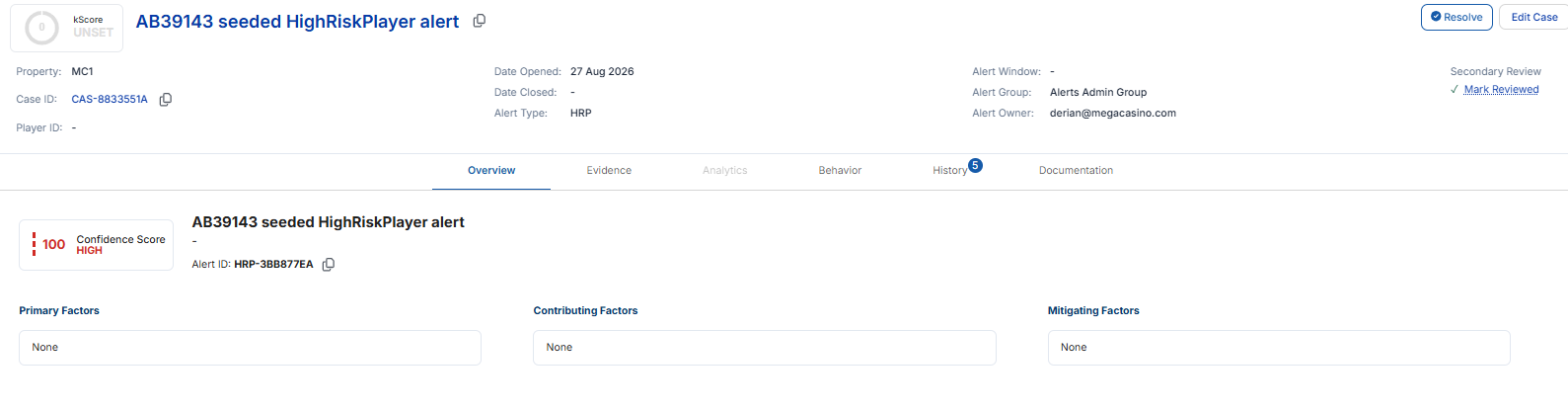
On Active alerts, High Risk Player alerts are labelled AML - High Risk Player. They always have a Confidence Score of 100 and a standard narrative stating that the player has been identified as high risk, with their score. The alert does not include transactions.
Steps to Configure High Risk Player Alert
Access the Alert Settings Page
Click the gear icon in the bottom-left navigation bar
Select the AML module
Click Alerts (Beta) in the left-hand menu
Locate and select the High Risk Player.

Note: there are no primary, contributing, or mitigating factors to configure for this alert type.
Choose the property at the top of the page, then turn the High Risk Player card on or off. It has no other settings.
Note: The Analytics tab is turned off for this alert type. Additionally, this alert does not generate for players manually assigned a custom risk rating. It is based solely on automated kScore changes and a player gets only one High Risk Player alert. If they already have one, including a Legacy High Risk Player alert, a new Active alert is not created.