Prerequisites
Permissions to View and Edit the alerts work page required.
Overview
Once you review the alert, you must decide if the alert is suspicious and needs to be escalated to a case or is not suspicious and should be resolved. The word Resolve in Kinectify means resolve as not suspicious.
Steps to Resolve Alerts
Click the Resolvebutton on the top right of the alert work page

Populate the Resolve Alert modal with the reason why you have chosen to resolve the alert.
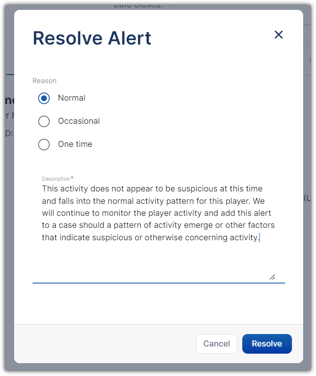
Edit the resolution Description field, if needed
Expected Result
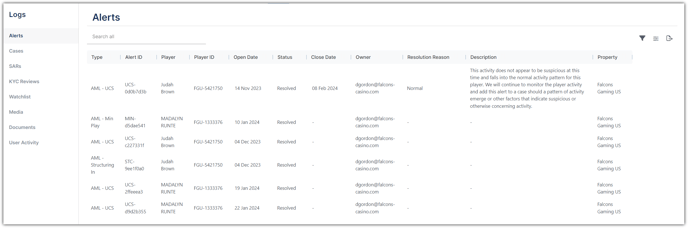
The alert status will be updated to Resolved and the alert with its resolution reason and description will appear on the Alerts Log.

Additional Tips
Resolution reasons are established on your alert settings page. If you do not see an option that you need, contact your manager to add it to the resolution reason section of the alert settings.