Prerequisites
-
Permissions to View/Edit the Alerts Workpage
Overview
Secondary reviews are used by some organizations as part of their quality assurance (QA) process. These reviews help ensure that alerts were dispositioned appropriately and that internal procedures were followed.
You can conduct a secondary review at any point—before or after an alert is resolved or closed. To begin, go to the Alerts Workpage and locate the alert you want to review.
To conduct a secondary review on alerts that were already completed by an analyst:
-
Filter the Alerts Workpage to show Resolved or Closed alerts.
-
You can also filter by casino property, analyst, alert type, or other relevant fields.
-
Review the alert details and click the Secondary Review link in the top right corner once your review is complete.
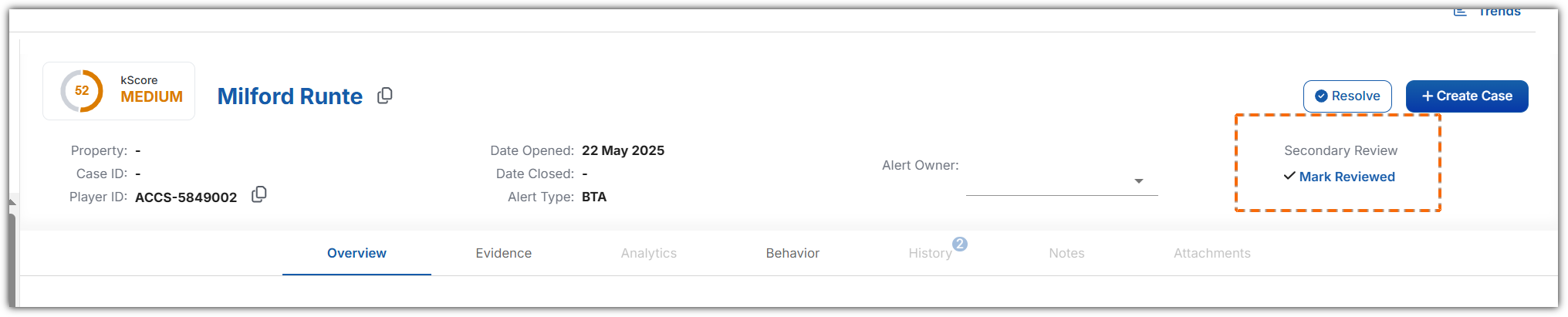
If you disagree with the analyst’s decision, you can reopen the alert and assign it back to the analyst for re-review. You may also leave a note in the Alerts tab or communicate directly with the analyst.
Once the secondary review is submitted, your username and a timestamp are recorded on the alert and logged in the Logs page, accessible from the top navigation bar in Kinectify.
