Prerequisites
Permissions to View, Edit, and Mass Assign the alerts work page required.
Overview
You can assign an alert owner to an alert directly from the alert work page or you can select numerous alerts and assign them all to an owner.
Assign an Owner to a Single Alert
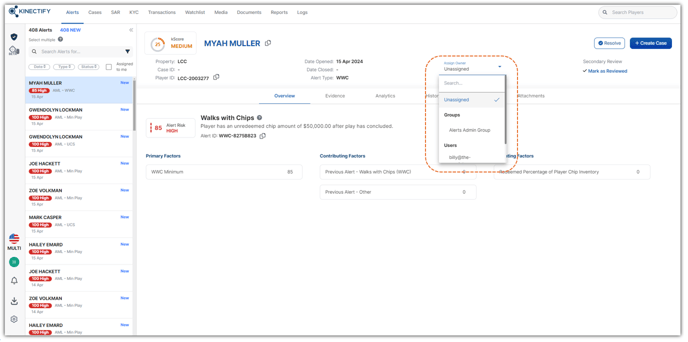
Select the Owner drop down field on the top banner of an alert and select an Owner for the alert.
Mass Assign an Owner to Alerts
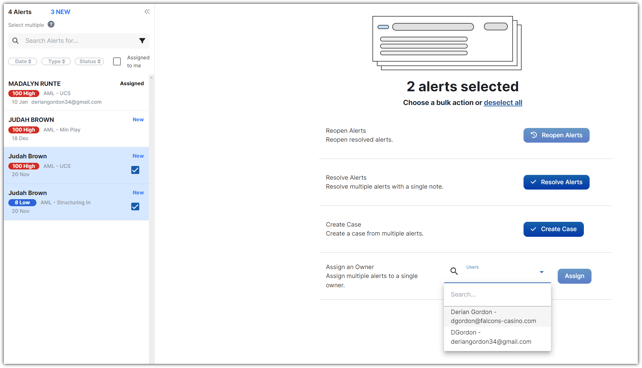
Select multiple alerts on the left side of the alert work page by clicking on an alert while holding the Shift button on your keyboard and selecting multiple alerts.
Select the Owner you want to assign all selected alerts to and select the Assign button
Expected Result
You will see the alerts updated with the new owner.
Additional Tips
If you do not see a user as an option in the Owner field, check their permissions to ensure they have Edit permissions enabled for alerts.